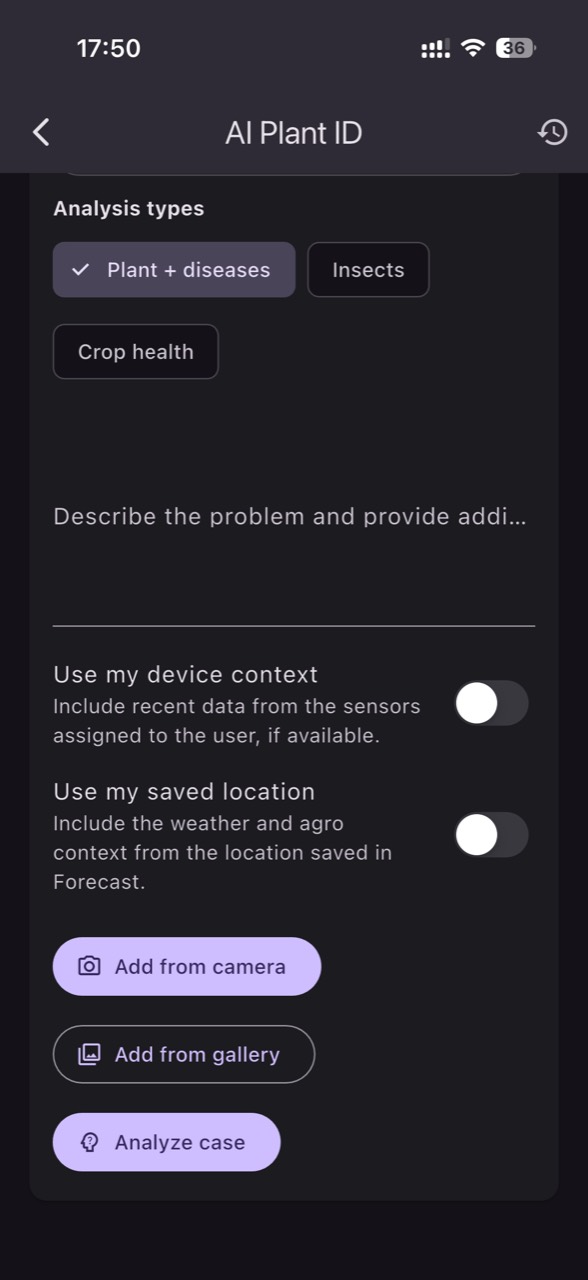
When you receive an alert before you can see symptoms on the plant, the temptation is to intervene immediately. Sometimes, though, the alarm reflects a misleading reading: a poorly placed sensor, confused units, stale data, or a very local change that does not represent the whole crop zone. The key is to combine the plant image with field context and independent checks.
A photo (leaf, stem, fruit, and the soil/substrate at the base) provides clues about mechanism: water stress, heat stress, nutrient lockout, phytotoxicity, diseases, or pests. Field data tells you whether that mechanism is plausible: how fast the microclimate shifted, what happened in the root zone, whether EC/pH drifted, and whether differences exist between zones. Together, they shorten the time to a correct decision.
This article is a diagnostic guide: how to use AI Plant ID together with sensors to distinguish a real crop issue from a measurement or operational error. You’ll see what to observe in the photo, what to verify separately (with simple tools or field steps), what practical decision to take, and how to confirm—within hours or days—whether the intervention had the intended effect.
1) Start with a hypothesis, not a “correction”: what can explain both photo and graph
Good diagnosis starts with a question: “What mechanism could produce both what I see in the photo and what the sensors show?” For example, slightly twisted leaves plus slowed growth can fit heat stress, high VPD, cold roots, or increased salinity in the root zone. A photo alone can suggest many causes; sensors help you triage by tempo (sudden vs gradual) and by correlations (temperature–humidity–irrigation events).
Independent verification: in the field, note the timing of recent operations (irrigation, fertigation, spray, venting) and take a standardized photo (same distance, similar light, same plant part). Then compare with history: if the signal shifts abruptly at a fixed hour, suspect an operation or a local event. Practical decision: don’t change two things at once. Apply one reversible correction and define success in advance (for instance, a trend turning within 6–12 hours).
2) The photo as a “visual sensor”: how to make it useful for AI Plant ID and the team
For AI Plant ID to be meaningful, the photo must capture the signal, not just a “nice plant.” Include: the affected leaf and one that looks normal; the growing tip; the plant base and the soil/substrate surface; and, when relevant, the leaf underside (common pest location). Avoid harsh shadows and glare. If nutrition is suspected, capture the growth stage too—deficiencies often express differently on young versus mature leaves.
Independent verification: repeat the photo in the same area after 24–48 hours, even if you intervened. This helps separate an active, progressing problem from an old mark that is no longer changing. Practical decision: add short field notes to the photo, such as “zone 3, row 12, after fertigation,” “after strong wind,” or “after film change.” In GrowGuard, linking photo, zone, and time makes cause comparison easier and reduces conclusions drawn from a single plant.
3) Fresh data or “frozen” data: the first source of false alarms
An early alert is only useful when the data is fresh and coherent. A common failure is a “stuck value”: the sensor reports the same number for a long time and then jumps, imitating an agronomic event. Another failure is delay: you receive a spike now that actually occurred yesterday. In both cases, the photo may show a normal plant and you may conclude “the AI is wrong,” when the real issue is the data pipeline.
Independent verification: compare two sources in the same zone (for example, two temperature sensors) or compare against a quick manual measurement. Look at rhythm: if readings arrive at irregular intervals, investigate connectivity or power. Practical decision: before any agronomic change, treat the alert as “unconfirmed” until you check battery/status, last timestamp, and graph continuity. Result check: after fixing the issue, watch whether variability returns to a realistic pattern rather than an implausibly “perfect flat” line.
4) Root-zone moisture: when the reading says “drought,” but the real issue is water distribution
A low soil-moisture reading can mean real drought—but it can also mean the sensor sits outside the wetted volume or that water distribution is uneven (partly clogged dripper, variable pressure, slope effects). Agronomically, plants can enter water stress before visible wilting: stomata close, growth slows, and fruit can remain small or deform. Photos often capture only subtle cues at first: loss of leaf sheen, stiffer leaves, or a less active growth tip.
Independent verification: inspect irrigation exactly where the sensor is. Lightly dig to see the wetting front, or check uniformity at several nearby points. If you have two depths, see whether one responds and the other does not; the mismatch can indicate irrigations that are too short or uneven infiltration. Practical decision: fix distribution first (line cleaning, pressure check) and only then adjust the schedule. Result check: confirm in the post-irrigation curve and in photos taken 24–72 hours later (turgor returns, tip activity resumes).
5) EC and pH: same abbreviations, different media, different conclusions
EC and pH are valuable for diagnosis only if you know exactly what medium you are measuring: irrigation water, fertigation solution, substrate extract, or bulk soil. EC does not tell you which nutrient is missing; it indicates total soluble salts and the risk of osmotic stress. pH affects nutrient availability, but a shift may come from water alkalinity, acid dosing, precipitation, or insufficient leaching. In photos, salinity stress can resemble marginal burn or accelerated aging.
Independent verification: confirm with a spot measurement of the applied solution and, separately, assess the root zone using the method accepted on your farm (do not confuse EC in water with EC in substrate). Laboratory analysis remains complementary; on-site monitoring helps capture dynamics. Practical decision: if EC rises, investigate the cause (mixing concentration, uniformity, evaporation, drainage) before assuming the answer is “more fertilizer.” Result check: watch whether EC trends back gradually and whether new symptoms stop appearing, even if older leaves do not “repair.”
6) Microclimate and VPD: the alert may be real, but leaf effects can lag
VPD, calculated from air temperature and relative humidity, is an estimate of evaporative demand; leaf temperature can differ, especially under sun, airflow, or shade netting. Mechanism: at high VPD, transpiration demand increases; if roots cannot supply enough water, a physiological water stress can appear even when the soil is moist. At very low VPD, transpiration drops and leaf-wetness/condensation risks can increase, affecting disease pressure. Photos often first show mild leaf curl, lifted edges, or color shifts near the growing tip.
Independent verification: correlate VPD with ventilation, shading, and irrigation moments; if you manage by zones, check whether the issue is local (near walls, doors, or under a film seam). Practical decision: if the alert indicates problematic VPD, adjust one operational factor (for instance, earlier ventilation or temporary shading) rather than compensating only with more frequent irrigation. Result check: within 2–6 hours you should see microclimate curves respond; within 24–48 hours photos show whether the tip becomes active again.
7) Diseases and pests: risk alerts are not pathogen detection
Phytosanitary risk alerts are about favorable conditions, not confirmation of a disease. The mechanism is probabilistic: prolonged high humidity, long leaf-wetness periods, favorable temperatures, and dense canopy increase the chance of infection but do not guarantee it. The photo helps you look for early signs: initial spots, mycelium, sporulation points, deformation, insect frass, or colonies on leaf undersides. If photos show nothing, that does not “cancel” risk; it means you are still in a good window for prevention and scouting.
Independent verification: walk a short scouting route in the flagged zone and in a control zone. Use a hand lens, check lower leaves (where humidity persists), and review traps if they exist. Practical decision: before treatment, prioritize fast, low-impact measures (ventilation, leaf management, condensation reduction) and reserve chemical decisions for when scouting finds signs or farm history shows recurrence. Result check: confirm that favorable-condition episodes shorten and that fewer new symptoms appear across a photo series.
8) Equipment versus crop: how to compare causes when the graph “makes no sense”
Sometimes the graph looks impossible: extremely high temperature in only one zone, humidity “jumping” without reason, EC staying constant even though the recipe changed. Here, comparing causes is essential: (1) a real local issue (microclimate, irrigation, drainage), (2) a placement issue (sensor in direct sun, too close to a spray jet, in a draft), (3) a commissioning issue (units, scaling, interpretation), or (4) a data integrity issue (missing intervals, drift). The photo can confirm localization—for example, plants near a door looking different than those in the center.
Independent verification: temporarily relocate the sensor (or add another) 2–5 meters away as a separation test; if the difference disappears, placement was the culprit. Also check “physical plausibility”: real changes have inertia, while perfectly vertical jumps are suspicious. Practical decision: treat it first as a measurement problem if there is no visual expression and other zones are stable. Result check: after correcting placement/commissioning, verify that the alert stops without needing agronomic interventions.
Conclusion
A strong diagnostic protocol ties three things together: the photo (symptom), the data (mechanism), and independent verification (reality). Applied consistently, it reduces unnecessary interventions and buys time in the window when issues are still invisible. Keep key distinctions clear: sensors measure the medium where they sit, EC/pH depend on method and medium, and VPD remains an estimate of demand—not a direct leaf measurement.
If you want to standardize the routine on your farm, you can use AI Plant ID in GrowGuard as a starting point for repeat photo series, then validate the hypothesis with zone-based data and a short field check. One change at a time—followed by confirmation in history and images—turns “alerts” into tracked decisions rather than rushed reactions.