In many farms, sensor data stays at the level of an “interesting chart.” When a discussion starts about irrigation, ventilation, heat stress, or a uniformity issue, the team needs something else: evidence that can be explained, checked, and archived. A good report is not more numbers; it is a technical story: what happened, where, when, and with what effect.
Useful reports start from fundamentals: data freshness, correct units, the right sensor for each variable, and basic data quality control. A soil or substrate moisture probe does not directly “tell” how much you irrigated; it shows how the root zone responded to water. Likewise, VPD derived from air temperature and humidity is an estimate; the leaf can be cooler or warmer than the air.
The workflow below describes commissioning and day-to-day reporting that works in greenhouses, tunnels, fields, or perennial plantings: how to choose what to report, how to verify independently, what decision you can make, and how to confirm the result. GrowGuard (an app and web platform) becomes valuable when history is organized by zones, events, and clearly testable hypotheses—not impressions.
1) Define what “proof” means: operational log vs. technical audit
A report for irrigation or microclimate needs an explicit purpose: internal justification (why the schedule changed), zone comparison (why one sector responded differently), or audit support (why an intervention was reasonable). The mechanism is straightforward: you convert a time series into events and consequences. What to observe: change points (steps, spikes, unusually flat periods) that can be correlated with operations such as irrigation cycles, ventilation, or shading.
What to verify independently: that the event actually occurred on the site (flow, run time, pressure) plus an agronomic observation (leaf posture, root-zone tension, patchiness or uniformity). Practical decision: choose which attachment counts as “evidence” (a 24–72 hour chart, a weekly summary, or a zone-to-zone comparison). How to check the result: report after the intervention as well, so you show direction of change—not only the decision moment.
2) Commissioning for reporting: freshness, units, and sensor identity
Without commissioning, reports can look persuasive while being wrong. The mechanism: every data stream has a sampling interval, latency, and unit; if any of these are unclear or inconsistent, comparisons break. What to observe: time gaps, unrealistic jumps, and constant offsets between two sensors meant to represent the same zone. From the start, record what each sensor measures, where it is mounted, and the measurement medium (air, soil, substrate, solution).
What to verify independently: time alignment (local time and daylight-saving behavior), units (for example °C vs °F, percent vs fraction), and a field plausibility check (a reference thermometer, a manual reading, or a placement inspection). Practical decision: before the first export, establish a 48–72 hour baseline with no major operational changes so you have a reference period. How to check the result: keep the reporting structure consistent so real deviations stand out over time.
3) Irrigation from history: root-zone response, not “water applied”
In reporting, a common confusion is between “we applied X” and “the root zone received/used X.” The mechanism: soil/substrate moisture rises after irrigation, then declines through plant uptake and evaporation; the curve shape indicates whether water reached the target depth and how long it stayed available. What to observe: the size of the post-irrigation increase, the drawdown rate, and differences across depths when you have a profile of sensors.
What to verify independently: irrigation system integrity (filters, sections, emitters, pressure) plus a physical check of moisture (a hand probe, a soil pit/profile, pot weight, depending on the system). Practical decision: adjust duration or timing to aim for a controlled curve (no tiny increases that suggest poor wetting, no long plateaus that suggest persistent saturation). How to check the result: compare two to three days before and after the change under similar weather, and note whether zone uniformity improved.
4) EC and pH in reports: measurement media and interpretation traps
EC and pH often enter reports as “nutrition,” but their meaning depends on medium and method. EC in source water, fertigation solution, a substrate extract, drainage, or bulk soil are not the same measurement and should not be compared directly. EC indicates total soluble salts, not individual nutrient concentrations; pH behaves differently than alkalinity, and an on-site reading complements—rather than replaces—laboratory analysis.
What to observe: trends (slow EC rise in the root zone, oscillations after fertigation events, pH drift) and how they relate to irrigation (leaching vs accumulation). What to verify independently: where you measured (source water, tank solution, drain, extract), with what instrument, and when (immediate vs after stabilization). Practical decision: report each medium separately and attach a hypothesis, such as “substrate EC rose after three days of high evaporative demand.” How to check the result: repeat the measurement at the same point and, when relevant, confirm with a lab sample.
5) Microclimate: temperature, humidity, and VPD as arguments for ventilation/shading
Microclimate reports are compelling when they explain why plants “asked for” a different regime, not only that “it was hot.” The mechanism: air temperature and relative humidity determine an estimated VPD, influencing transpiration and water movement through the plant; however, leaf temperature can differ from air temperature, so VPD is an indicator rather than a direct measurement of leaf stress. What to observe: long periods of stagnant air (persistently high humidity), heat peaks, and rapid transitions when vents open.
What to verify independently: sensor placement (shaded, protected from direct jets, at the relevant canopy height), actual ventilation status, and a crop observation (condensation, soft vs rigid leaves, within-row variability). Practical decision: adjust operational rules (when you vent, when you shade) and report before/after on comparable days. How to check the result: track whether the duration of critical episodes decreases and whether the agronomic response is coherent (for example, less morning condensation without driving excessive water use).
6) Events, not only series: building a timeline the team can follow
A report that is hard to dispute is organized as an event timeline: “trigger → intervention → response.” The mechanism: people decide in context; charts become useful when you mark what was done (irrigations, schedule changes, repairs, opening/closing a sector) and what changed in the data. What to observe: the exact moments of change and whether the response shows up with a realistic delay—minutes in air, hours in soil—depending on the medium.
What to verify independently: a work log (who changed what, and when) and a spot check on equipment (for example, whether a sector was isolated). Practical decision: report in short windows for incidents (24–48 hours) and longer windows for trends (two to four weeks), without mixing the two. How to check the result: ask the team to confirm two key points “on the ground”; if they don’t match, revisit the hypothesis rather than “fixing the chart.”
7) Audit and internal compliance: traceability, versions, and data quality control
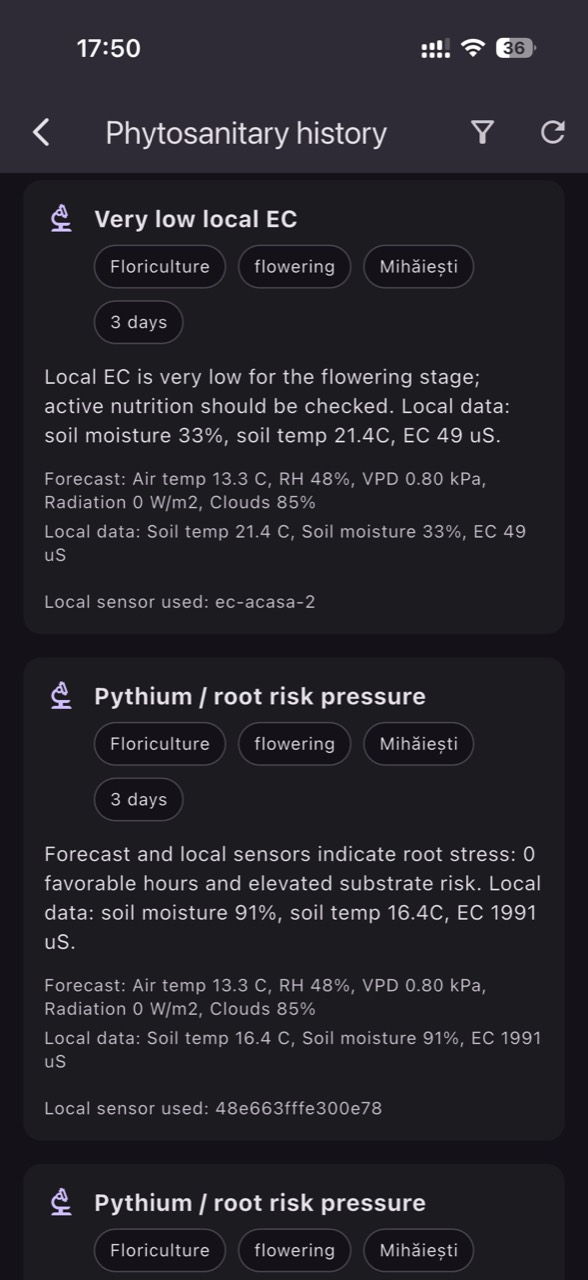
For audits (internal or for partners), traceability matters: where the data came from, what was excluded, and why. The mechanism: any sensor series can contain errors (stuck values, drift, missing signal), and a credible report flags them. What to observe: values that remain identical for too long, isolated spikes, or implausible differences compared with other points in the same zone. In GrowGuard you can review history and sensor status so you don’t confuse silence with stability.
What to verify independently: an on-site check (connectors, position, battery, cable/probe integrity) and a reference measurement for the critical variable. Practical decision: adopt a “data acceptance” rule (for example, do not report a period if too many points are missing, or if the sensor was moved). How to check the result: keep report versions and explicitly note when you recalculated or replaced a sensor, so you don’t compare periods that are not comparable.
8) Export and interpretation: which fields to keep so meaning isn’t lost
Data export is only useful if it preserves context: sensor identifier, zone, unit, timestamp, and method/medium. The mechanism: without these fields, the same value can be misread—for example, EC in irrigation water versus EC in a substrate extract. What to observe: when merging files, you may see duplicates, time shifts, or mixed units. The solution is to standardize naming conventions early and maintain a sensor dictionary (what it measures, where it is, and what the numbers represent).
What to verify independently: a small sample of the export (a few hours) compared to the platform view, confirming you didn’t lose time zone handling or swap decimal separators. Practical decision: produce two deliverables—one technical (raw data plus metadata) and one decision-focused (charts plus conclusions). How to check the result: repeat the same export a week later and confirm processing yields identical results for the overlapping period; if not, it’s a pipeline issue, not a crop issue.
Conclusion
Sensor history becomes “evidence” when it is commissioned correctly, linked to real events, and independently verified through field checks, equipment checks, and reference measurements. For irrigation, you report root-zone response; for microclimate, you explain the transpiration mechanism and the limits of indicators like VPD; for EC/pH, you separate media and methods or you risk reporting false comparisons.
If you want to standardize this workflow across a team, use a platform such as GrowGuard to keep zone-based history and apply the same verification logic week after week. A simple invitation: start with a single before/after report for one small change and treat it as a test—not a verdict.